Google Workspace data security: avoiding the two-click cliff
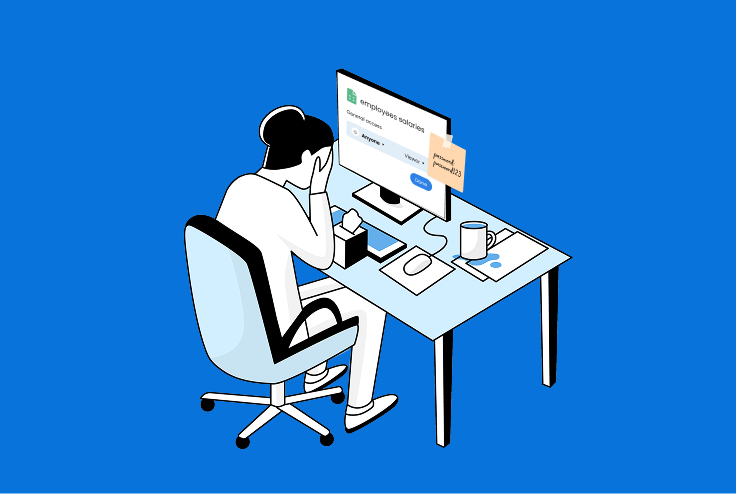
Ever gone out for a drink with a colleague and ended up spending the night alone? I have.
I once met up with a CISO from a large organization, only to watch him spend the entire evening on the phone. An executive had just discovered that a document listing employee salaries had been visible to the entire company since it was created… two years earlier.
It turned out it was not just one file, but a whole folder of documents had been accidentally shared with everyone.
Does this scenario sound familiar?
Where hyper-collaboration meets oversharing
Why it happens and the risk
The introduction of Google Workspace and Microsoft Sharepoint ended the era of “Important Doc-final-final-final-super-final-today’s-date.docx with track changes on”, but also introduced a whole new set of risks. All it takes to share a document with the entire organization (or the world at large) is two clicks.
The Google Workspace native admin console was built for general administration, not day-to-day threat hunting. Important answers, such as: Which files are public? Who just became an admin? often hide behind multiple screens or need BigQuery exports. That lag matters when every employee can generate a public link in two clicks.
What security teams really need is instant visibility into Drive-sharing activity, a clear view of privileged-role changes, and guardrails that surface exposure risks early enough to stay compliant, without another complex toolchain.
It’s not just sharing that puts your org at risk
There are plenty of security risks in Google Workspace that aren’t easy to track from the organizational side:
- Sharing: Public links, domain-wide shares and external collaborators that slip past classification labels.
- Identity hygiene: Dormant or over-privileged accounts, and users who still sidestep MFA.
- Domain and group sprawl: Unverified domains and broad groups that silently widen access.
- Compliance: Audit-ready evidence for frameworks like SOC 2 or HIPAA, plus internal policy checks.
- Admin access: Continuous tracking of who holds (or suddenly gains) elevated roles.
CISOs deserve after-work drinks, too
If Sola had been around on that fateful evening years ago, my CISO friend would have been able to have a drink in peace with me. Because none of that debacle would have ever happened.
Sola’s integration with Google Workspace allows security teams to keep a close eye on the organizational posture of Google Workspace and keep oversharing at bay. And setting it up is almost as easy as sharing the “Company Bonuses Per Employee” doc with everyone at the company.
Prebuilt app: Google Workspace – security and access insights
Sola’s app gives security teams comprehensive visibility into public file sharing, user roles, admin access, and identity posture across Google Workspace. This app surfaces risks like external file exposure, inactive or overprivileged accounts and MFA gaps, helping poor, thirsty CISOs manage access, enforce compliance, and prevent data leaks.
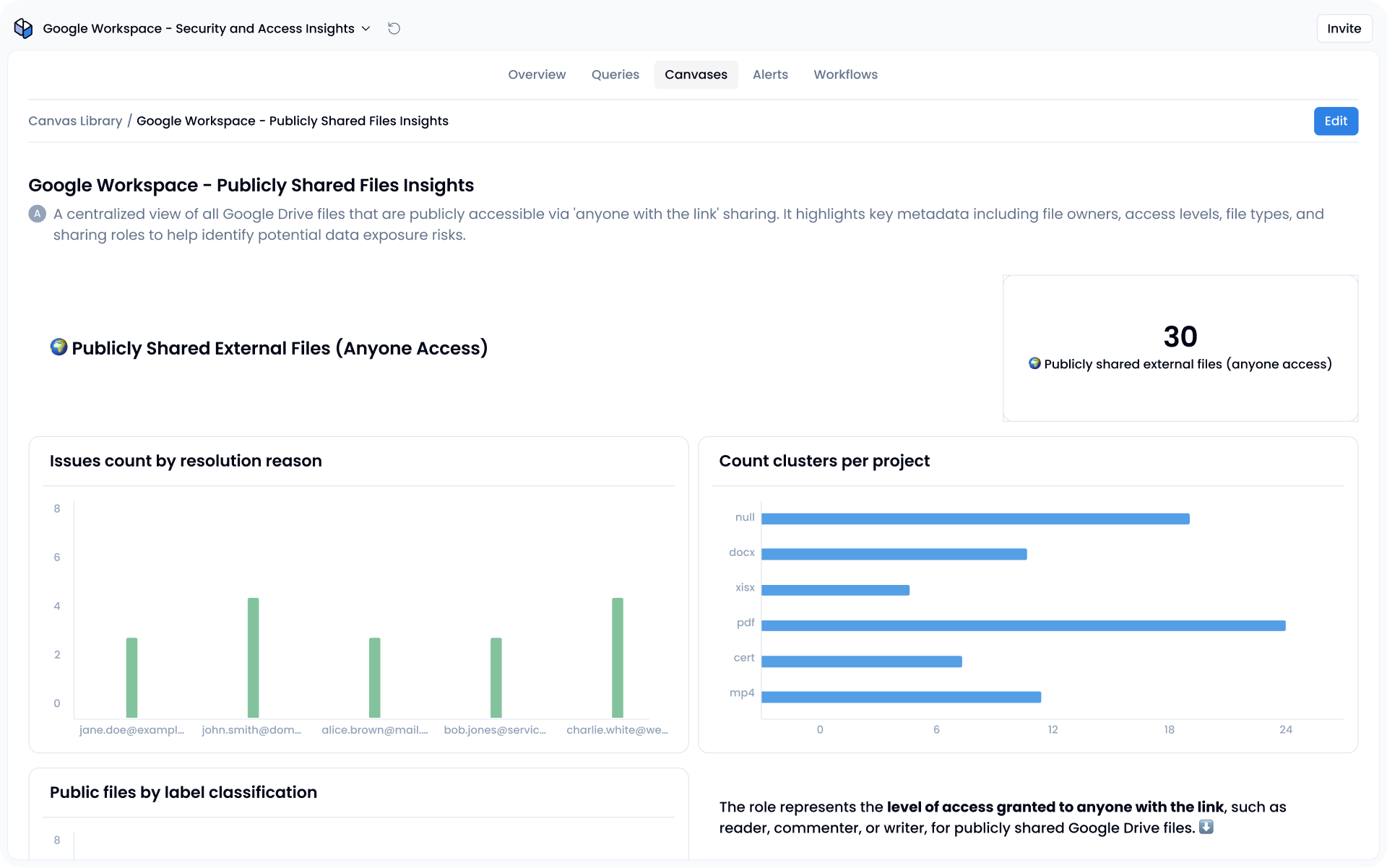
How it works:
The “Google Workspace – Security and Access Insights” package arrives with 33 pre-built SQL queries that cover the risk areas above. You install the app, connect a service account, and the queries immediately populate three dashboards:
- Publicly Shared Files Insights
- Access Control Center
- Identity & Security Overview
In short, the app gives you a live map of public file sharing, admin roles, and overall identity health, surfacing the usual troublemakers like exposed documents, dormant super-admins, and those stubborn users who still dodge MFA.
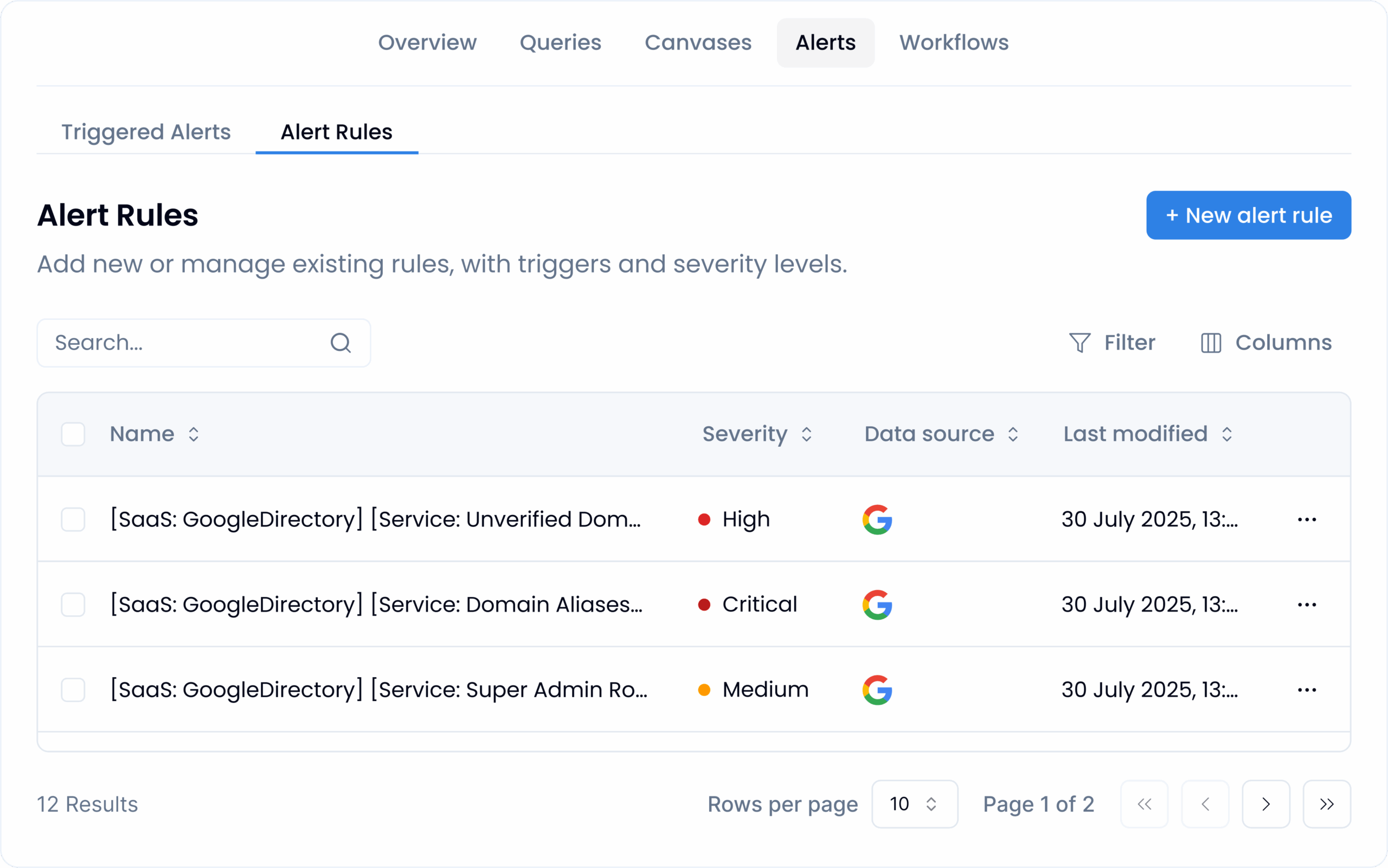
Alert rules (shipped disabled) map to the same dataset: new super-admin created, unverified domain added, confidential file shared externally, and so on. Toggle them on and you move from retrospective reporting to near-real-time signal without having to script webhooks.
Overall, the experience feels closer to a focused SaaS security solution than a full platform: no extra agents, no custom schema work, but also no attempt to be a universal, fully comprehensive SIEM. For most teams, it’s a tradeoff which works perfectly – quick wins over deep custom ETL.
When canned dashboards aren’t enough, enter AI
Sometimes you need an answer the app doesn’t come pre-loaded with, say, “Which contractors edited files labelled Internal last week?” For that, Sola’s AI for cybersecurity co-pilot lets you type the question in plain language; it generates the query, chart and optional alert, effectively building a mini app on the fly.
Sola’s Google Workspace package isn’t a cure-all, but it wipes out the biggest blind spots fast and still leaves plenty of room to stretch. The presets handle Drive exposure, privileged role churn and compliance evidence straight away; when you need something oddly specific, Sola’s AI builder lets you bend the queries, dashboards and alerts to fit your own playbook, without a marathon re-config required.
I think it’s time I called up that old CISO friend of mine…
Struggling with file oversharing?
Download the Sola app for Google Workspace.

VP Marketing, Sola Security
A creative strategist with a sharp eye for detail, Minnie has led product marketing and content for industry-defining companies like AppsFlyer and Payoneer. Once wrote a LinkedIn post that racked up a gazillion views and was featured by BuzzFeed and the Daily Mail.
